Learning Through Play

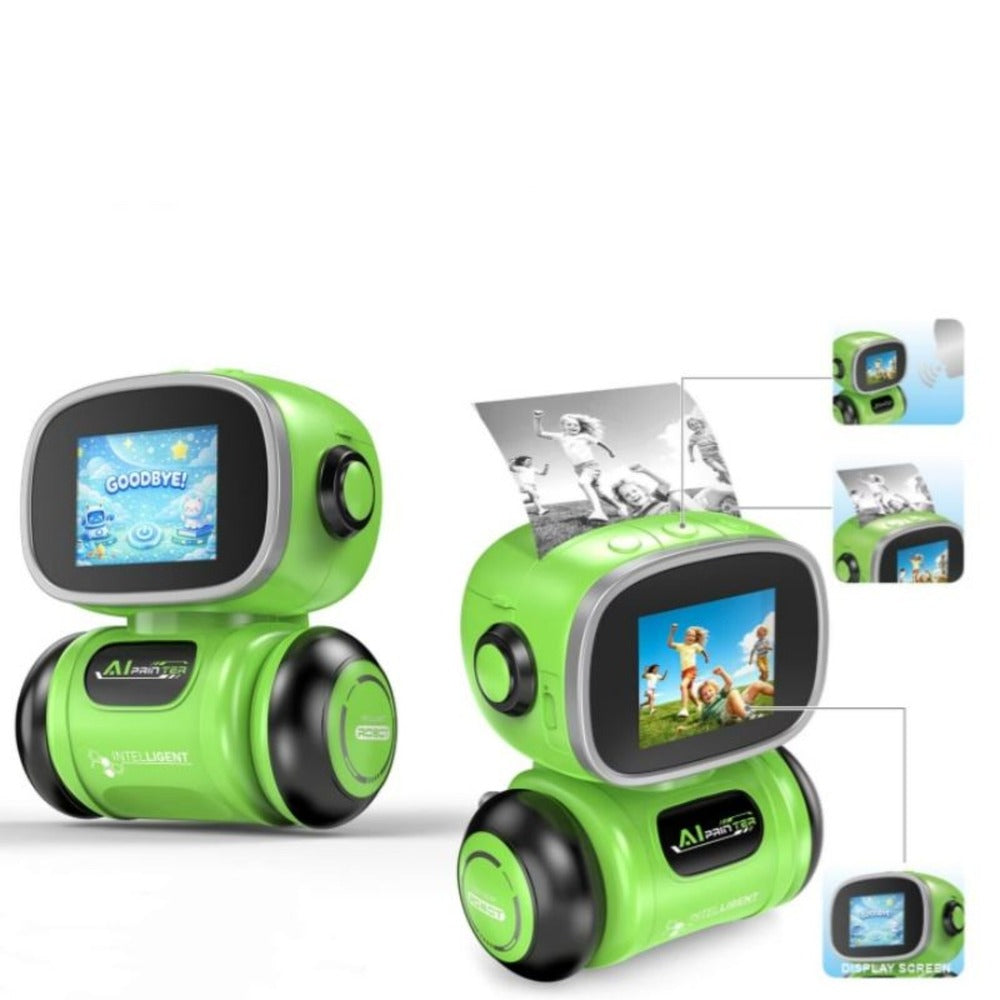

More Than a Printer. A Creative Experience.
Turn their imagination into something they can hold.
- Encourages imagination
- Turn ideas into creations
- Interactive voice control
- prints creations instantly

Everything You Need, All in One Little Robot
Smart features designed for creative play.

Why AI Printing Robot Is Different?
From Imagination to Paper in 3 Simple Steps


Operation Guide
1. Pre-Start Preparation:
- Open the printer stop cover.
- Put paper roll into paper compartment with the correct paper orientation.
2. Power on the device:
- Power key: Long press 3S to power ON/OFF.
- Voice key: Long press 3S to activate voice control. Short press to confirm.
- Function key: Long press 3S to enter App download page, Short press for original image mode.
3. Download and open Application:
- Long press power key to turn on printer.
- Scan QR code on screen to download exclusive app (i print) and tap download.
- Open app (i print) after installation.
4. Bluetooth and WiFi Settings:
- Connect device following in-app prompts, Connect Bluetooth first, Tap (settings) after Bluetooth connected.
- Select system language in setting, 20 built-in languages available.
- Enter WiFi configuration page, Input WiFi name and password, Tap confirm to finish.
- Notice: Incompatible with 5G WiFi.
5. Camera photo printing:
- Start photo printing after successful connection.
- Open camera print function and shoot content.
- Switch between six mode (Cartoon, Sketch, Ink Wash, Line Art, Stick Figure, Anime), Select filter and Tap print.
- Tear printed paper gently from outlet.
6. Template Printing:
- Abundant Built-in templates for study, journal, kids book and label making.
- Adjust print density, Copies and printing quality in setting page:
Select print density, print quantity, high-speed Mode(Fast speed), HD mode( High definition for photos, picture books and delicate patterns).
7. Voice Control Function:
- Support voice command.
- Long press function key 3S to activate.
- Follow voice prompt to operate.
8. Charging Instruction:
- LED turns off automatically once fully charged.